Keyboard Mode
An opt-in, per-emulator mode (also called Direct Key Forwarding) that turns your controller buttons into the exact keystrokes an emulator already reads. It's the one input route that works with every emulator and every controller — including pads The Vault connects to itself over Bluetooth.
✅ Available today
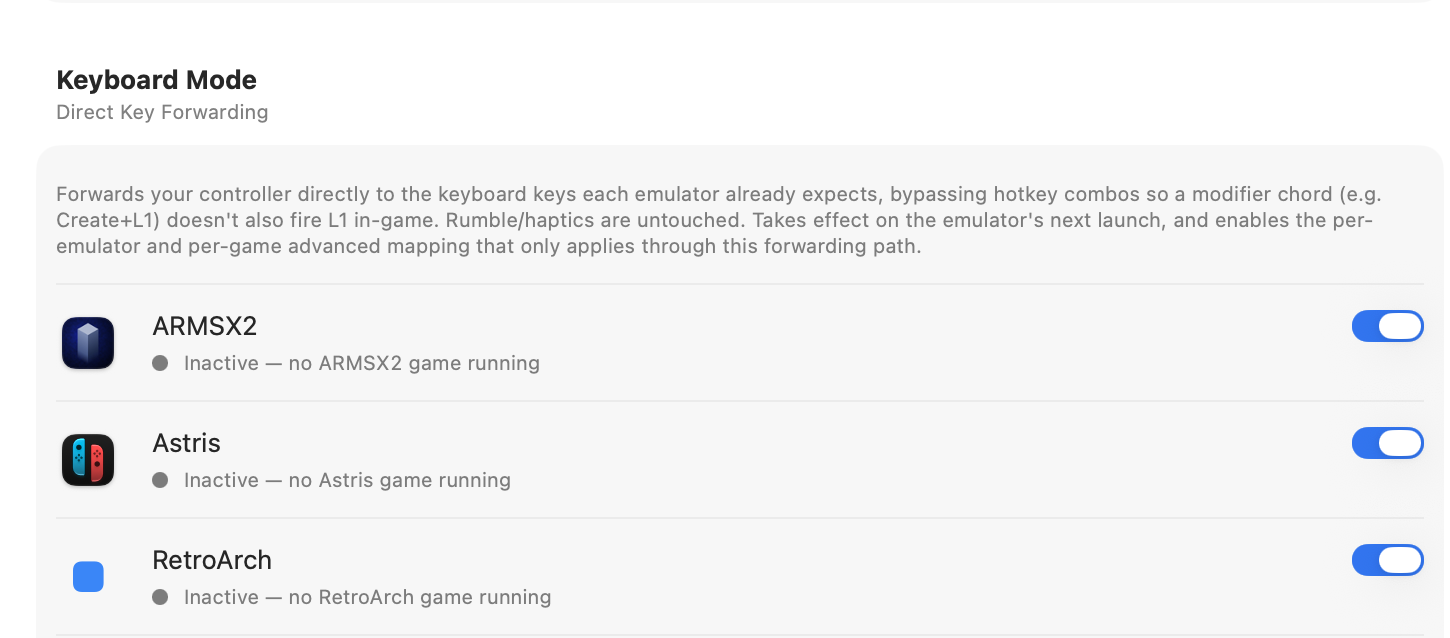
Shipping now on ARMSX2, Astris, and RetroArch — for the DualSense, and (on Astris) the Switch 2 pads, which have no other route. Broader emulator coverage is being added (see the table below).
Two modes
- Controller mode (default) — your pad talks to the emulator as a real controller: full analog sticks and rumble, no setup from you. The Vault configures the emulators behind the scenes so each pad works right.
- Keyboard mode (Direct Key Forwarding) — turns your buttons into keystrokes. Unlocks button combos and macros, with a few trade-offs (below).
These two labels sit on top of four delivery paths under the hood: Controller mode is the emulator reading the pad natively, a Bluetooth → DSU bridge, or a real HID device; Keyboard mode is the keyboard-forwarding path. See How It Works for the full model.
Controller mode vs. Keyboard mode
| Feature | Controller mode | Keyboard mode |
|---|---|---|
| Buttons & D-pad | Yes | Yes |
| Analog sticks | Yes | Digital (8-way) |
| Analog triggers | Yes | On / off |
| Gyro / motion | Where supported | No |
| Rumble / haptics | Yes | Preserved |
| Chords & macros | Via hotkeys | Yes — assign in Settings |
| Turbo / rapid-fire | — | Yes |
| Controllers | macOS-visible pads | All controllers |
| Available for | All emulators | Rolling out * |
* Keyboard mode ships today on ARMSX2, Astris, and RetroArch; the other emulators are rolling out — see the per-emulator table just below for status and trade-offs. One deliberate exception: the wireless GameCube pad in Dolphin stays on its native DSU connection (full analog + rumble) — keyboard translation would only make it worse.
Using it
- Turn it on per emulator in the Keyboard Mode section of Settings → Controllers.
- Assign keys or build combos at the Emulator or Game level (see Macros & Chords).
- Enabling it edits that emulator's input config to read the keyboard. This is fully reversible — the original config is backed up and restored when you turn it off.
- Needs the Accessibility permission (to send the keystrokes). Rumble is untouched.
⚠️ What to expect
Analog sticks become digital (8-way) and triggers become on/off for remappedinputs. Un-remapped play still uses each emulator's native controller path. Rumble/haptics are preserved.
Keyboard mode, emulator by emulator
Every emulator below accepts keyboard input — several even default to it — so keyboard mode is technically possible everywhere. The real question is the trade-off, which comes down to one thing: how much a system leans on analog input. Keyboard is digital, so sticks become 8-way and triggers become on/off. That's a non-issue on a d-pad-only system and a real loss on a twin-stick 3D one.
- Button combos, macros, chords & turbo
- Per-emulator / per-game remaps
- Consistent Save / Load / Quit hotkeys
- Works with pads macOS can't see (Switch 2)
- Analog sticks → 8-way digital
- Analog triggers → on / off
- No gyro / motion
- Needs a reversible config rewrite
| Emulator | Keyboard support | Analog cost | Verdict | Status |
|---|---|---|---|---|
| RetroArch (all cores) | Native cfg | None on 2D (NES/SNES/GB/GBA/Genesis); high on N64/PSX/Dreamcast | Great for 2D; use native for analog cores | ✅ Now |
| Astris (Switch) | Required | Digital sticks | Only route — the pad is invisible to macOS | ✅ Now |
| ARMSX2 (PS2) | Cfg rewrite | High (twin analog) | Used for the hotkey-leak fix & macros | ✅ Now |
| melonDS (DS) | Native (default) | None — DS has no analog stick | Ideal fit | ⏳ Coming |
| Azahar (3DS) | Native (default) | Medium (circle pad / C-stick) | Fine for macros; native for precise 3D | ⏳ Coming |
| PPSSPP (PSP) | Supported | Medium (one analog nub) | Usable; native for analog-heavy games | ⏳ Coming |
| Dolphin (GC/Wii) | Supported (Quartz keyboard) | High; Wii motion/IR can't map at all | Native/bridge for play; keyboard only for macros | ⏳ Coming |
| RPCS3 (PS3) | Supported | High (twin analog + pressure) | Native for play; keyboard for macros | ⏳ Coming |
| ShadPS4 (PS4) | Native (kbd+mouse) | High (twin analog + triggers) | Native for play; keyboard for macros | ⏳ Coming |
| Cemu (Wii U) | Supported (XML profile) | High (twin analog + touch) | Bridge/native for play; keyboard for macros | ⏳ Coming |
| Xenia (Xbox 360) | Supported upstream | High (twin analog + triggers) | Runs via XeniOS wrapper — needs hardware verification | ⏳ Coming |
"Coming" emulators accept keyboard input (validated against their real config files); what's in progress is The Vault's per-emulator config writer for each. The rule of thumb: reach for keyboard mode when you want macros, remaps, or a pad macOS can't see — and stay on the native (or Bluetooth → DSU) path when analog precision matters.
Why it exists
macOS won't let an app quietly redefine a controller's buttons system-wide — that needs a special Apple entitlement that isn't granted to remappers. So instead of fighting each emulator's input system, The Vault reads your pad and sends the emulator keyboard input, the one thing every emulator understands. It's also the only way to use pads macOS can't see natively, like the Switch 2 controllers.