Controller Hotkeys
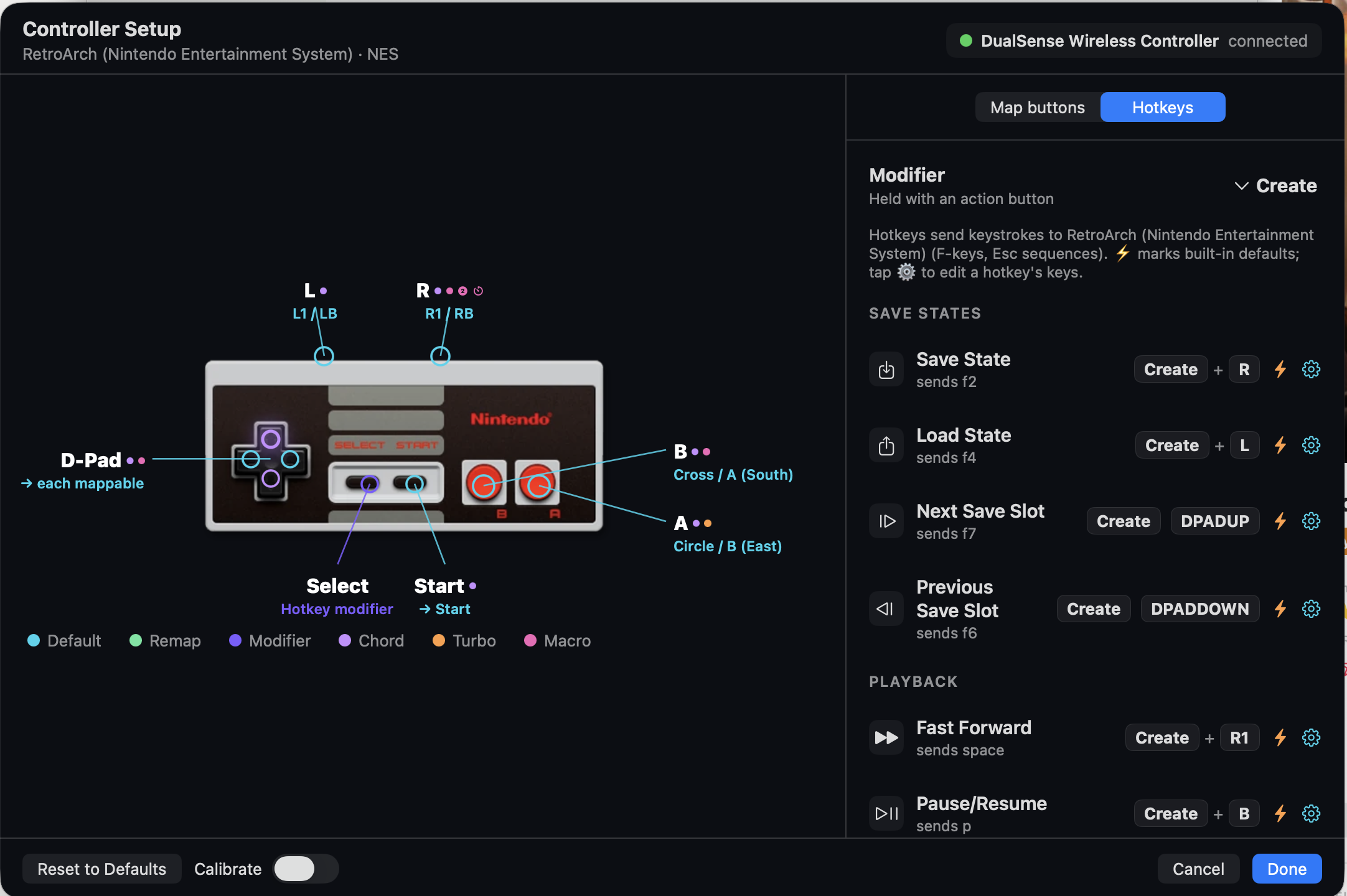
Every game gets the same muscle-memory layout — save, load, change slot, and quit from the pad, no menu-diving. The Vault writes these into each emulator for you at launch; they're never the emulator's own defaults.
The universal scheme
| Combo | Action |
|---|---|
| Modifier + R | 💾 Save state |
| Modifier + L | 📤 Load state |
| Modifier + ▲ / ▼ | Next / previous save slot |
| Modifier + Start | Quit back to the library |
💡 Set up for you
The Vault picks the input driver and writes these mappings automatically each time you launch — including the tricky NSO pads. For RetroArch it also avoids the setting that would overwrite them on exit. All of it is customizable in Settings → Controllers.
The modifier button, per pad
The "Select"-style modifier you hold differs by controller (each pad's natural spare button):
| Controller | Modifier | Notes |
|---|---|---|
| DualSense (RetroArch) | Create | Full save/load/slot/quit |
| NSO NES / SNES | Select | Full scheme |
| NSO Genesis | Mode | Full scheme (hid driver) |
| NSO N64 | Select-equivalent | Full scheme (same as NES/SNES) — hold its Select-role button, then R Save, L Load, ▲/▼ slot, Start Quit. |
| GameCube (Dolphin) | Capture | Capture+R Save, Capture+L Load, Capture+Start Quit (no slot combo — the bridge doesn't bind ▲▼). Details |
Customizing
In Settings → Controllers, the per-emulator hotkey editor lets you change the modifier button and each action's keystroke (with "Reset to Factory Defaults"). Streaming clients (Moonlight/Artemis) get a passthrough editor instead — anything left as "None" passes straight through to the streamed PC.
Beyond hotkeys
For arbitrary combos → actions (not just save/load), see controller-combo running scripts and Remapping, Macros & Chords.